How Mobile Check Deposit Works
Mobile check deposit turns a paper check into a digital deposit request by capturing images, extracting key fields, and sending the result to your bank’s processing system. The bank then decides whether to accept the deposit, place a hold, or reject it for resubmission. The workflow usually starts inside a mobile banking app after you choose “Deposit Checks” and enter the account to receive funds.
Behind the scenes, the app guides you to photograph the front and back of the check, often with an on-screen frame and a “capture” button that triggers the camera. Most apps require the check to be flat, well lit, and fully visible, because the next step depends on readable numbers and consistent image quality. A small aside: some apps show a version number in the settings screen; I’ve seen “v2.3.x” style labels that correlate with changes to image quality thresholds, which can affect acceptance rates.
After capture, the app runs image processing to correct rotation, crop to the check boundaries, and enhance contrast. Then it performs data extraction, commonly using OCR (optical character recognition) and pattern matching to read the payee line, the amount, and other printed elements. Many systems also detect whether the check looks altered, duplicated, or inconsistent with typical formatting. The app packages the images and extracted data into a deposit message and transmits it over an encrypted connection to the bank.
Once the bank receives the deposit, it routes the request through multiple checks: image legibility scoring, account and routing validation, and fraud and duplication screening. If the deposit passes, the bank credits your account, often with a hold that depends on check type, your account history, and local regulations. If the deposit fails, the bank returns a reason code that the app may translate into a user-facing message like “image unclear” or “check not eligible.”
Common Pain Points And Misreads
People often assume mobile deposit is “instant,” then get surprised by holds or delayed availability. Availability rules vary by bank and check type, and the bank may treat mobile deposits differently from in-branch deposits. Another frequent misread involves endorsement: the back of the check must be signed and endorsed exactly as the bank requires, or the deposit can be rejected even when the front image looks sharp.
Image quality drives many failures. A check photographed under glare, with shadows, or at an angle can produce OCR errors that lead to mismatched amounts or unreadable routing numbers. Cropping mistakes also matter: if the app captures only part of the check, the bank’s legibility scoring can fail. A mild frustration many users experience is redoing the deposit repeatedly while the app still shows “submitted,” because the bank may have already received the images and is waiting for internal review.
Fraud controls are another dependency. Mobile deposit systems compare the new images against known patterns, including duplicate detection using image hashes and check characteristics. If a check was previously deposited through another channel, the system may flag it as a duplicate. If the check is altered or the ink distribution looks inconsistent, the system may reject it even when the amount appears readable.
Finally, the payment network and clearing process still apply. The deposit request becomes part of the bank’s check clearing workflow, which can involve additional verification steps and later settlement. That means a mobile deposit can be credited for accounting purposes while still subject to later review, reversal, or collection delays.
Solutions And Advice
Capture Images That Pass Scoring
Use a flat surface and place the check so all four corners are visible. Avoid overhead glare and strong shadows; diffuse light from a lamp off to the side often produces fewer highlights than direct ceiling lighting. Hold the phone steady and let the app finish its capture sequence before moving. If the app offers a “guidance box,” keep the check centered and fill the frame without cropping the edges.
When the app shows a preview, zooming in on the amount and routing area can catch blur before submission. If your app has a “quality check” indicator, treat it as a gate rather than a suggestion. A small aside from practical use: some apps in the 2024–2025 period tightened their blur thresholds, so a photo that used to pass may fail after an app update.
Endorse Correctly Before You Submit
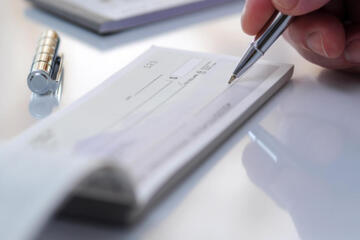
Endorse the back of the check exactly as your bank’s instructions state, usually with a signature and a phrase like “For mobile deposit only” or a bank-provided endorsement line. Write in dark ink and keep the endorsement within the designated area if the check has one. Do not cover the magnetic ink character recognition (MICR) line or any printed fields with your endorsement.
After endorsement, wait a moment for ink to dry if you’re using a pen that smears easily. Smearing can blur the back image and trigger legibility failures. If you make a mistake on the endorsement, some banks require you to void the check and request a replacement rather than trying to correct it with extra writing.
Expect Holds And Plan Around Availability
Mobile deposits often receive a hold, meaning funds may not be available immediately. The hold length depends on bank policy and factors such as check amount, your account standing, and whether the check is “new” to the system. In the U.S., Regulation CC governs availability for many checks, and banks must disclose their funds availability schedules; mobile deposits can still follow different timing rules than cash or teller deposits.
Practical planning helps: if you need funds by a specific date, deposit early and avoid waiting until the day before a bill is due. If you see a hold, check the app’s deposit details screen for the estimated availability date and any conditions that could extend it. If a deposit is reversed later, the bank will reverse the credited amount, which can affect balances and overdraft risk.
Reduce Rejections With Resubmission Discipline
If the app rejects a deposit, resubmission rules matter. Some banks allow resubmission with corrected images, while others require a new deposit attempt only after you confirm the check has not been altered. Do not submit the same check multiple times in quick succession; repeated attempts can trigger duplicate detection and complicate review.
Before resubmitting, compare the rejected images to the check itself. Re-photograph in better lighting, re-center the check, and ensure the amount box and signature area are readable. If the rejection reason points to a specific field, focus on that area rather than redoing everything with the same lighting setup.
Case Examples For Realistic Use
Example 1: Glare Causes Amount Mismatch
A customer deposits a payroll check using a smartphone app. The front image preview looks clear, but the app later shows “amount not readable” and requests a new submission. The customer redoes the photo under a lamp positioned to the side, keeps the check flat, and avoids reflections on the amount box. The second submission passes image scoring and the bank places a standard hold based on the check amount.
The key detail is that glare can make the amount digits look readable to the human eye while still failing OCR confidence thresholds. The bank’s system may reject when extracted data does not match expected formatting or when the OCR confidence score falls below a threshold.
Example 2: Endorsement Covers Printed Fields
A customer endorses the back of a check with a thick marker and writes over a printed area near the MICR line. The app captures both sides, but the bank rejects the deposit with a “back image not eligible” message. The customer requests a replacement check or re-endorse only in the permitted area, then submits again with a cleaner back image.
This scenario shows how endorsement placement affects legibility and compliance. Even when the front image is sharp, the bank’s back-image requirements can block acceptance if printed fields become obscured.
Checklist For Decision Support
| Step | What To Do | What The Bank Checks | Common Failure Signal |
|---|---|---|---|
| 1. Choose Deposit | Select the correct account and confirm check eligibility in the app. | Account routing, check type rules, and deposit limits. | “Not eligible” or immediate rejection. |
| 2. Photograph Front | Keep all corners visible; avoid glare; ensure amount and payee are readable. | OCR confidence, cropping boundaries, and legibility scoring. | “Amount not readable” or “image unclear.” |
| 3. Photograph Back | Endorse as required; avoid covering MICR/printed fields. | Endorsement presence and back-image eligibility. | “Back image not eligible.” |
| 4. Submit And Track | Submit once; monitor deposit status in the app. | Duplication checks and fraud screening. | “Duplicate” or “reversed.” |
| 5. Manage Holds | Plan around the availability date shown in the app. | Regulatory availability rules and internal review timing. | Funds not available when expected. |
Common Mistakes That Break Deposits
Submitting a check before endorsing the back is a frequent issue. Many banks require a specific endorsement phrase, and missing it can trigger rejection even when the front image is perfect. Another common mistake is endorsing too close to the MICR line or writing over printed fields, which can reduce OCR accuracy on the back.
People also reuse the same photo set after a rejection. If the app rejected due to blur or cropping, resubmitting the same images usually fails again because the bank’s legibility scoring does not improve without a new capture. A mild frustration shows up when users take the second photo in the same lighting and expect a different result.
Depositing the same check multiple times can trigger duplicate detection. Some systems detect duplicates by comparing image characteristics, while others rely on check identifiers and timing. If you need to correct an error, wait for the bank’s status update rather than submitting repeatedly.
Finally, users sometimes discard the check immediately. Many banks require you to retain the original check for a period after deposit, then destroy it securely once the deposit clears. If you destroy it too early and the bank later requests documentation, you may have to request a replacement from the issuer.
FAQ
How long do mobile deposits take?
Mobile deposits often receive a hold and may not become available immediately. Your bank’s funds availability disclosure and the deposit status screen in the app usually show an estimated availability date.
Why does my check get rejected after I submit?
Rejections commonly come from unreadable amount digits, poor lighting, incorrect cropping, missing or incorrect endorsement, or duplication/fraud screening flags.
Can I deposit the same check twice?
Submitting the same check again can trigger duplicate detection and lead to rejection or reversal. If you need to correct an error, follow the bank’s resubmission instructions for that specific deposit.
What endorsement should I write on the back?
Use the endorsement text and placement your bank specifies in the app or account agreement. Many banks require a signature and a “for mobile deposit” style statement.
What happens if a deposit is reversed?
A reversal removes the credited funds from your account and can affect your balance and any scheduled payments. The bank may reverse due to collection issues, fraud review outcomes, or check eligibility problems.
Author's Insight
Mobile check deposit relies on a chain of steps: image capture, image processing, OCR-based data extraction, and bank-side fraud and legibility checks. The user-facing app hides most of that, so failures often look mysterious even when the cause is a specific field that failed OCR confidence or endorsement placement rules. Regulation CC and bank funds-availability policies influence when funds become available, which explains why “submitted” does not always mean “usable.”
For practical reliability, treat the deposit like a document scan: flat surface, controlled lighting, full check visibility, and endorsement that does not cover printed fields. If you want fewer surprises, deposit earlier than you think you need and monitor the status details for hold dates and any follow-up requests.
Key Takeaways
- Mobile deposit converts check images into a deposit request using OCR and bank-side validation, not a human review of every photo.
- Image quality and endorsement placement drive many rejections more than the check’s face value.
- Holds follow bank policy and check-clearing realities, so plan around the availability date shown in the app.
- Resubmit only when you change the underlying issue, and avoid repeated submissions that can trigger duplicate detection.