Account Hacks Basics
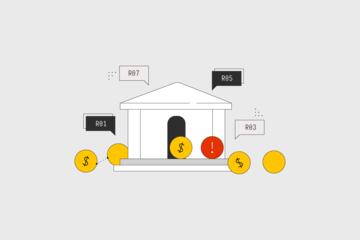
Bank account hacking involves unauthorized access to your financial information, leading to stolen funds or identity misuse. In 2023, the U.S. Financial Fraud Bureau reported losses exceeding $5 billion from unauthorized digital banking access. Simple phishing emails or weak passwords often cause hacks. For example, a compromised login on a popular mobile banking app can drain funds in minutes. Immediate action is a must.
Problems Often Ignored
Many victims delay reporting hacks, assuming bank insurance covers losses fully or that reversal will be instant. These assumptions cost time and money. Ignoring suspicious alerts or unclear transactions leaves fraud unchecked and worsens damage. Consequences range from drained savings accounts to long-term identity theft issues—cases where recovery is complicated and slow. Missing early signs, like odd login locations, significantly worsens results.
Practical Steps to Take
Contact Your Bank Immediately
Notify your bank as soon as you detect unusual activity. Banks can freeze accounts, stop transactions, and launch fraud investigations. JPMorgan Chase, for instance, offers 24/7 fraud reporting lines. Early contact often recovers a majority of stolen funds. Write down agent names and case numbers.
Change All Passwords and PINs
Update credentials on both the hacked account and any linked services. Use complex, unique passwords combining upper, lower case, numbers, and symbols. Do not recycle old or similar passwords to other sites. Use password managers like 1Password or Bitwarden for secure storage. Alter PINs for ATMs and phone banking simultaneously.
Enable Two-Factor Authentication
Activate 2FA on your banking and email accounts, which blocks attackers lacking your second verification step. Google Authenticator or hardware keys like YubiKey add layers hackers often fail to bypass. Not all banks support 2FA fully, which, frankly, slows down security upgrades.
Check for Malware and Secure Your Devices
Run full antivirus scans using tools like Malwarebytes or Norton. Remove suspicious apps, update operating systems, and reset network settings to avoid keyloggers capturing credentials. Avoid public Wi-Fi when accessing financial data until your device is clean—public Wi-Fi is a hacker’s playground.
Review All Account Statements Thoroughly
Go back 6 months, checking for small unauthorized transactions often overlooked. Fraudsters often test with minimal amounts, hoping you ignore them. Flag every unfamiliar transaction to the bank. Download digital copies and maintain a written log.
Freeze Credit Reports and Monitor Identity
Use annualcreditreport.com to freeze credit files with major bureaus (Equifax, Experian, TransUnion). Freezing stops new loans or credit cards opened in your name. Enroll in identity protection services like LifeLock if the hack involved sensitive personal data—these services alert unusual activity and sometimes recover losses.
File a Police and FTC Report
Documenting the crime aids official investigations and is often necessary for reimbursement claims. Visit IdentityTheft.gov for submitting a report to the Federal Trade Commission. Include copies of bank correspondence and any suspicious emails or texts.
Reset Linked Accounts and Payment Apps
Update credentials on PayPal, Venmo, and linked credit card portals. If hackers access these, they may move funds even beyond the bank. Review permissions and revoke any strange linked devices or connections, especially on mobile banking apps.
Use Alerts and Notifications Effectively
Set up text and email alerts for every transaction above a small threshold—$5 or so. Most banks offer push notifications through mobile apps, allowing real-time review and early detection of suspicious behavior.
Real Cases
Case One: A mid-sized retailer lost $42,000 after an employee’s stolen credentials allowed hackers to transfer funds offshore. The company froze accounts within 2 hours and used multi-layer authentication tools post-breach, recovering 90% of funds within 30 days.
Case Two: A freelance consultant’s personal account was accessed using a leaked password from a data breach. They flagged unusual login attempts via email alerts, reset all passwords, and engaged credit monitoring services. Losses were zero, but frustration lingered over the months required to verify all linked services.
Decision Guide
| Step | Action | Result | Notes |
|---|---|---|---|
| 1 | Call Bank | Stop fraud | Use 24/7 line |
| 2 | Change Passwords | Block further access | Avoid repeats |
| 3 | Report to FTC | Formal record | For reimbursement |
| 4 | Freeze Credit | Prevent loans | Contact 3 bureaus |
| 5 | Scan Devices | Remove malware | Update software |
Errors to Avoid
Do not ignore bank alerts. Skipping prompt password changes lets hackers linger. Avoid calling generic customer service numbers found on phishing emails; use official numbers only. Don’t assume small unauthorized transactions are harmless; they test defenses. Refrain from handling all steps alone—ask for bank fraud specialists’ help. Lastly, don’t delay filing reports to regulators; quick records accelerate recovery.
FAQ
What if the bank delays response?
Insist on speaking with the fraud department. Escalate through online chat or official complaint portals. Keep detailed logs to pressure them for quicker action.
Can I still use my account?
Use it only as advised by the bank; often it’s frozen temporarily. Use alternate accounts during investigations.
How long does recovery take?
Fraud reversal varies: small claims may resolve in days; complex breaches can drag over months.
Are online banking apps safe?
They are safe if updated regularly and protected with 2FA. Never install unofficial apps.
Does insurance cover all stolen money?
Coverage depends on bank policies and your promptness in reporting. Early action increases reimbursement chances.
Author's Insight
From years of dealing with hacked accounts, speed beats panic. I’ve seen people lose thousands just by waiting a day to call. Setting up alerts and 2FA early saves real headaches. One subtle tip: verify suspicious transaction amounts even if they’re just a few dollars; that tiny withdrawal could be the hacker’s test run. Trust your gut, and act fast.
Summary
Start by calling your bank, locking accounts down, then extend protection to devices and credit. Monitor closely and report the hack to authorities. Failing to act promptly worsens outcomes, so avoid delays. Stay alert post-recovery—hackers return often.